Tue, 01-September-2026
Watch Live
Headlines
Bol News is Pakistan’s leading digital news platform, delivering accurate, timely, and engaging news. Latest News Updates and Breaking Stories | BOL News Sports News – Latest Scores, Updates and Highlights | BOL News. Bol News is Pakistan’s leading digital news platform, delivering accurate, timely, and engaging news. Latest News Updates and Breaking Stories | BOL News Sports News – Latest Scores, Updates and Highlights | BOL News.

Here's How to Disable Low Power Mode on your Apple Device!

Here's How to Disable Low Power Mode on your Apple Device!

Web Desk June 18, 2024 Add Bol News as a trusted source
  • Low Power Mode helps save battery life but restricts some features.
  • In the Battery menu, toggle the switch next to Low Power Mode.
  • To activate Low Power Mode again, simply tap the toggle switch.
Low Power Mode is designed to save battery life on Apple, Android, or Windows devices, but it limits certain features. If you want to use all features, disable Low Power Mode.

In this guide, we'll show you how to disable Low Power Mode on different devices, allowing you to experience all the incredible features they offer to the fullest.

How to turn off low power mode on iPhone or iPad

  1. First of all, navigate to your iPhone’s Settings. You can find the settings on the main screen. It is symbolized by the gray gear of a machine.
  2. Once you have entered the device's settings, scroll down and tap on 'Battery'.
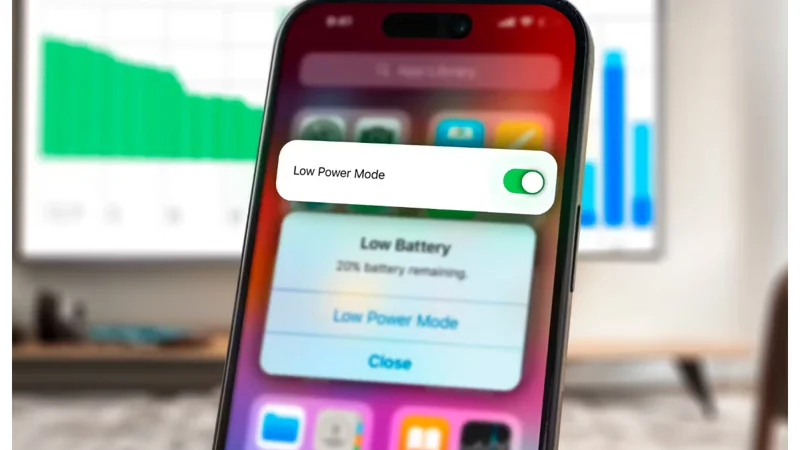
  3. After selecting Battery, toggle the switch next to Low Power Mode. If the switch changes from green to gray, it means you've successfully turned off Low Power Mode.
  4. If you would like to activate the low-power mode again, just tap this same toggle.

[embedpost slug="/apple-iphones-new-tax-rates-in-pakistan-after-budget-2024-25/"]

Recommended